A tale of maintaining my Ghost 6.0 install on opal18, which was working until I tried to issue the ghost update command via CLI to migrate from 6.0.2 to 6.30.x using ghost update.
I'm providing this as history of my experience using Opalstack and Ghost, in case others have faced the same issue.
TL;DR SUMMARY
- Noted at that the Network feature was no longer working in my installation.
- Tried to use
ghost update as the easy upgrade from 6.0.2 to 6.38.0 to see if that fixes it
- Errors! Could not resolve entirely due to gyp errors and node version issues
- Tried using Podman to pull ghost:latest docker image, so configuration issues that needed to resolve
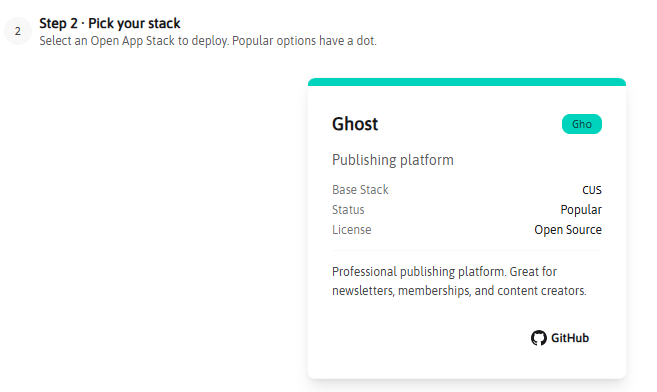
- Tried creating a new Ghost application, thinking it would pick up the latest version. Nope, it is pinned to 6.0.2
TRY GHOST UPDATE?
I ran ghost update and got this error:
Message: Ghost v6.38.0 is not compatible with this version of the CLI. Your CLI version is 1.28.4, but Ghost v6.38.0 requires ^1.29.1
Help: Run `npm install -g ghost-cli@latest` to upgrade the CLI, then try again.
I think the "Ghost Open App Stack" is making use of a system-wide nodejs but with local modules, so I not sure if can do a global install of ghost-cli@latest, but I can probably install it locally by dropping the -g glag. The local node_modules is in APP_PATH/my-ghost-app/node directory, where I can see the ghost-cli npm package. So tried local install after checking the the setenv script is referring to it.
This threw a number of dependency warnings, as the system version of node (22.22.1) is a bit too old:
npm warn EBADENGINE Unsupported engine {
npm warn EBADENGINE package: 'abbrev@5.0.0',
npm warn EBADENGINE required: { node: '^22.22.2 || ^24.15.0 || >=26.0.0' },
npm warn EBADENGINE current: { node: 'v22.22.1', npm: '10.9.4' }
npm warn EBADENGINE }
npm warn EBADENGINE Unsupported engine {
npm warn EBADENGINE package: 'ini@7.0.0',
npm warn EBADENGINE required: { node: '^22.22.2 || ^24.15.0 || >=26.0.0' },
npm warn EBADENGINE current: { node: 'v22.22.1', npm: '10.9.4' }
npm warn EBADENGINE }
npm warn EBADENGINE Unsupported engine {
npm warn EBADENGINE package: 'which@7.0.0',
npm warn EBADENGINE required: { node: '^22.22.2 || ^24.15.0 || >=26.0.0' },
npm warn EBADENGINE current: { node: 'v22.22.1', npm: '10.9.4' }
npm warn EBADENGINE }
Ignoring the warnings, I checked that ghost --version reported the updated version 1.29.3. Progress, but no love.
Here's a redacted log of the errors after running ghost update again, after updating my local version of ghost-cli:
✖ Downloading and updating Ghost to v6.38.0
A ProcessError occurred.
Message: Command failed: corepack pnpm install --prod --reporter=append-only
Progress: resolved 0, reused 0, downloaded 1, added 0
WARN deprecated path-match@1.2.4: This package is archived and no longer maintained. For support, visit https://github.com/expressjs/express/discussions
WARN deprecated superagent@5.3.1: Please upgrade to superagent v10.2.2+, see release notes at https://github.com/forwardemail/superagent/releases/tag/v10.2.2 - maintenance is supported by Forward Email @ https://forwardemail.net
WARN deprecated brute-knex@4.0.1: Package no longer supported. Contact Support at https://www.npmjs.com/support for more info.
WARN deprecated supertest@6.3.4: Please upgrade to supertest v7.1.3+, see release notes at https://github.com/forwardemail/supertest/releases/tag/v7.1.3 - maintenance is supported by Forward Email @ https://forwardemail.net
WARN deprecated glob@8.1.0: Old versions of glob are not supported, and contain widely publicized security vulnerabilities, which have been fixed in the current version. Please update. Support for old versions may be purchased (at exorbitant rates) by contacting i@izs.me
WARN deprecated eslint@8.57.1: This version is no longer supported. Please see https://eslint.org/version-support for other options.
Packages are cloned from the content-addressable store to the virtual store.
Content-addressable store is at: MY_HOME_DIR/.local/share/pnpm/store/v10
Virtual store is at: node_modules/.pnpm
╭──────────────────────────────────────────────╮
│ │
│ Update available! 10.33.0 → 11.1.2. │
│ Changelog: https://pnpm.io/v/11.1.2 │
│ To update, run: corepack use pnpm@11.1.2 │
│ │
╰──────────────────────────────────────────────╯
Progress: resolved 207, reused 0, downloaded 207, added 0
Progress: resolved 837, reused 0, downloaded 830, added 0
Progress: resolved 1528, reused 0, downloaded 1438, added 0
Progress: resolved 1971, reused 0, downloaded 1891, added 0
Progress: resolved 2069, reused 0, downloaded 1994, added 0
Progress: resolved 2164, reused 0, downloaded 2085, added 0
Progress: resolved 2344, reused 0, downloaded 2211, added 0
WARN 39 deprecated subdependencies found: @humanwhocodes/config-array@0.13.0, @humanwhocodes/object-schema@2.0.3, @npmcli/move-file@1.1.2, @otplib/plugin-crypto@12.0.1, @otplib/plugin-thirty-two@12.0.1, @otplib/preset-default@12.0.1, @types/color-convert@3.0.1, @ungap/structured-clone@1.3.0, are-we-there-yet@3.0.1, boolean@3.2.0, bree@6.5.0, consolidate@0.15.1, core-js@2.6.12, crypto@0.0.3, ee-argv@0.1.4, ee-types@2.2.1, formidable@1.2.6, gauge@4.0.4, glob@10.5.0, glob@11.1.0, glob@6.0.4, glob@7.2.3, har-validator@5.1.5, inflight@1.0.6, intl-messageformat-parser@2.1.3, lodash.pick@4.4.0, lodash.template@4.5.0, npmlog@6.0.2, prebuild-install@7.1.3, request@2.88.2, rimraf@2.4.5, rimraf@3.0.2, superagent@8.1.2, trim@0.0.3, uuid@3.4.0, uuid@7.0.3, uuid@8.3.2, uuid@9.0.1, whatwg-encoding@3.1.1
Packages: +1633
++++++++++++++++++++++++++++++++++++++++++++++++++++++++++++++++++++++++++++++++
Progress: resolved 2353, reused 0, downloaded 2213, added 106
Progress: resolved 2353, reused 0, downloaded 2213, added 599
Progress: resolved 2353, reused 0, downloaded 2213, added 1221
Progress: resolved 2353, reused 0, downloaded 2213, added 1510
Progress: resolved 2353, reused 0, downloaded 2213, added 1633, done
.../core-js@2.6.12/node_modules/core-js postinstall$ node -e "try{require('./postinstall')}catch(e){}"
.../node_modules/dtrace-provider install$ node-gyp rebuild || node suppress-error.js
.../core-js@2.6.12/node_modules/core-js postinstall: Thank you for using core-js ( https://github.com/zloirock/core-js ) for polyfilling JavaScript standard library!
.../core-js@2.6.12/node_modules/core-js postinstall: The project needs your help! Please consider supporting of core-js on Open Collective or Patreon:
.../core-js@2.6.12/node_modules/core-js postinstall: > https://opencollective.com/core-js
.../core-js@2.6.12/node_modules/core-js postinstall: > https://www.patreon.com/zloirock
.../core-js@2.6.12/node_modules/core-js postinstall: Also, the author of core-js ( https://github.com/zloirock ) is looking for a good job -)
.../core-js@2.6.12/node_modules/core-js postinstall: Done
.../sqlite3@5.1.7/node_modules/sqlite3 install$ prebuild-install -r napi || node-gyp rebuild
.../.pnpm/re2@1.23.3/node_modules/re2 install$ install-from-cache --artifact build/Release/re2.node --host-var RE2_DOWNLOAD_MIRROR --skip-path-var RE2_DOWNLOAD_SKIP_PATH --skip-ver-var RE2_DOWNLOAD_SKIP_VER || node-gyp -j max rebuild
.../sharp@0.34.5/node_modules/sharp install$ node install/check.js || npm run build
.../node_modules/dtrace-provider install: gyp info it worked if it ends with ok
.../node_modules/dtrace-provider install: gyp info using node-gyp@11.5.0
.../node_modules/dtrace-provider install: gyp info using node@22.22.1 | linux | x64
.../node_modules/dtrace-provider install: gyp info find Python using Python version 3.13.13 found at "/usr/local/bin/python3.13"
.../node_modules/dtrace-provider install: gyp info spawn /usr/local/bin/python3.13
.../node_modules/dtrace-provider install: gyp info spawn args [
.../node_modules/dtrace-provider install: gyp info spawn args 'MY_HOME_DIR/.cache/node/corepack/v1/pnpm/10.33.0/dist/node_modules/node-gyp/gyp/gyp_main.py',
.../node_modules/dtrace-provider install: gyp info spawn args 'binding.gyp',
.../node_modules/dtrace-provider install: gyp info spawn args '-f',
.../node_modules/dtrace-provider install: gyp info spawn args 'make',
.../node_modules/dtrace-provider install: gyp info spawn args '-I',
.../node_modules/dtrace-provider install: gyp info spawn args 'MY_APP_PATH/ghost/versions/6.38.0/node_modules/.pnpm/dtrace-provider@0.8.8/node_modules/dtrace-provider/build/config.gypi',
.../node_modules/dtrace-provider install: gyp info spawn args '-I',
.../node_modules/dtrace-provider install: gyp info spawn args 'MY_HOME_DIR/.cache/node/corepack/v1/pnpm/10.33.0/dist/node_modules/node-gyp/addon.gypi',
.../node_modules/dtrace-provider install: gyp info spawn args '-I',
.../node_modules/dtrace-provider install: gyp info spawn args 'MY_HOME_DIR/.cache/node-gyp/22.22.1/include/node/common.gypi',
.../node_modules/dtrace-provider install: gyp info spawn args '-Dlibrary=shared_library',
.../node_modules/dtrace-provider install: gyp info spawn args '-Dvisibility=default',
.../node_modules/dtrace-provider install: gyp info spawn args '-Dnode_root_dir=MY_HOME_DIR/.cache/node-gyp/22.22.1',
.../node_modules/dtrace-provider install: gyp info spawn args '-Dnode_gyp_dir=MY_HOME_DIR/.cache/node/corepack/v1/pnpm/10.33.0/dist/node_modules/node-gyp',
.../node_modules/dtrace-provider install: gyp info spawn args '-Dnode_lib_file=MY_HOME_DIR/.cache/node-gyp/22.22.1/<(target_arch)/node.lib',
.../node_modules/dtrace-provider install: gyp info spawn args '-Dmodule_root_dir=MY_APP_PATH/ghost/versions/6.38.0/node_modules/.pnpm/dtrace-provider@0.8.8/node_modules/dtrace-provider',
.../node_modules/dtrace-provider install: gyp info spawn args '-Dnode_engine=v8',
.../node_modules/dtrace-provider install: gyp info spawn args '--depth=.',
.../node_modules/dtrace-provider install: gyp info spawn args '--no-parallel',
.../node_modules/dtrace-provider install: gyp info spawn args '--generator-output',
.../node_modules/dtrace-provider install: gyp info spawn args 'build',
.../node_modules/dtrace-provider install: gyp info spawn args '-Goutput_dir=.'
.../node_modules/dtrace-provider install: gyp info spawn args ]
.../sqlite3@5.1.7/node_modules/sqlite3 install: gyp info it worked if it ends with ok
.../sqlite3@5.1.7/node_modules/sqlite3 install: gyp info using node-gyp@8.4.1
.../sqlite3@5.1.7/node_modules/sqlite3 install: gyp info using node@22.22.1 | linux | x64
.../.pnpm/re2@1.23.3/node_modules/re2 install: Trying https://github.com/uhop/node-re2/releases/download/1.23.3/linux-x64-127.br ...
.../sqlite3@5.1.7/node_modules/sqlite3 install: (node:50787) [DEP0060] DeprecationWarning: The `util._extend` API is deprecated. Please use Object.assign() instead.
.../sqlite3@5.1.7/node_modules/sqlite3 install: (Use `node --trace-deprecation ...` to show where the warning was created)
.../sharp@0.34.5/node_modules/sharp install: npm warn config production Use `--omit=dev` instead.
.../node_modules/dtrace-provider install: gyp info spawn make
.../node_modules/dtrace-provider install: gyp info spawn args [ 'BUILDTYPE=Release', '-C', 'build' ]
.../node_modules/dtrace-provider install: make: Entering directory 'MY_APP_PATH/ghost/versions/6.38.0/node_modules/.pnpm/dtrace-provider@0.8.8/node_modules/dtrace-provider/build'
.../node_modules/dtrace-provider install: TOUCH Release/obj.target/DTraceProviderStub.stamp
.../sqlite3@5.1.7/node_modules/sqlite3 install: gyp info find Python using Python version 3.13.13 found at "/usr/local/bin/python3.13"
.../node_modules/dtrace-provider install: make: Leaving directory 'MY_APP_PATH/ghost/versions/6.38.0/node_modules/.pnpm/dtrace-provider@0.8.8/node_modules/dtrace-provider/build'
.../node_modules/dtrace-provider install: gyp info ok
.../sharp@0.34.5/node_modules/sharp install: > sharp@0.34.5 build
.../sharp@0.34.5/node_modules/sharp install: > node install/build.js
.../node_modules/dtrace-provider install: Done
.../sharp@0.34.5/node_modules/sharp install: sharp: Attempting to build from source via node-gyp
.../sharp@0.34.5/node_modules/sharp install: sharp: See https://sharp.pixelplumbing.com/install#building-from-source
.../sharp@0.34.5/node_modules/sharp install: sharp: Found node-addon-api
.../sharp@0.34.5/node_modules/sharp install: sharp: Found node-gyp 8.4.1
.../sharp@0.34.5/node_modules/sharp install: sharp: Detected globally-installed libvips v8.18.0
.../sqlite3@5.1.7/node_modules/sqlite3 install: gyp info spawn /usr/local/bin/python3.13
.../sqlite3@5.1.7/node_modules/sqlite3 install: gyp info spawn args [
.../sqlite3@5.1.7/node_modules/sqlite3 install: gyp info spawn args 'MY_APP_PATH/ghost/versions/6.38.0/node_modules/.pnpm/node-gyp@8.4.1/node_modules/node-gyp/gyp/gyp_main.py',
.../sqlite3@5.1.7/node_modules/sqlite3 install: gyp info spawn args 'binding.gyp',
.../sqlite3@5.1.7/node_modules/sqlite3 install: gyp info spawn args '-f',
.../sqlite3@5.1.7/node_modules/sqlite3 install: gyp info spawn args 'make',
.../sqlite3@5.1.7/node_modules/sqlite3 install: gyp info spawn args '-I',
.../sqlite3@5.1.7/node_modules/sqlite3 install: gyp info spawn args 'MY_APP_PATH/ghost/versions/6.38.0/node_modules/.pnpm/sqlite3@5.1.7/node_modules/sqlite3/build/config.gypi',
.../sqlite3@5.1.7/node_modules/sqlite3 install: gyp info spawn args '-I',
.../sqlite3@5.1.7/node_modules/sqlite3 install: gyp info spawn args 'MY_APP_PATH/ghost/versions/6.38.0/node_modules/.pnpm/node-gyp@8.4.1/node_modules/node-gyp/addon.gypi',
.../sqlite3@5.1.7/node_modules/sqlite3 install: gyp info spawn args '-I',
.../sqlite3@5.1.7/node_modules/sqlite3 install: gyp info spawn args 'MY_HOME_DIR/.cache/node-gyp/22.22.1/include/node/common.gypi',
.../sqlite3@5.1.7/node_modules/sqlite3 install: gyp info spawn args '-Dlibrary=shared_library',
.../sqlite3@5.1.7/node_modules/sqlite3 install: gyp info spawn args '-Dvisibility=default',
.../sqlite3@5.1.7/node_modules/sqlite3 install: gyp info spawn args '-Dnode_root_dir=MY_HOME_DIR/.cache/node-gyp/22.22.1',
.../sqlite3@5.1.7/node_modules/sqlite3 install: gyp info spawn args '-Dnode_gyp_dir=MY_APP_PATH/ghost/versions/6.38.0/node_modules/.pnpm/node-gyp@8.4.1/node_modules/node-gyp',
.../sqlite3@5.1.7/node_modules/sqlite3 install: gyp info spawn args '-Dnode_lib_file=MY_HOME_DIR/.cache/node-gyp/22.22.1/<(target_arch)/node.lib',
.../sqlite3@5.1.7/node_modules/sqlite3 install: gyp info spawn args '-Dmodule_root_dir=MY_APP_PATH/ghost/versions/6.38.0/node_modules/.pnpm/sqlite3@5.1.7/node_modules/sqlite3',
.../sqlite3@5.1.7/node_modules/sqlite3 install: gyp info spawn args '-Dnode_engine=v8',
.../sqlite3@5.1.7/node_modules/sqlite3 install: gyp info spawn args '--depth=.',
.../sqlite3@5.1.7/node_modules/sqlite3 install: gyp info spawn args '--no-parallel',
.../sqlite3@5.1.7/node_modules/sqlite3 install: gyp info spawn args '--generator-output',
.../sqlite3@5.1.7/node_modules/sqlite3 install: gyp info spawn args 'build',
.../sqlite3@5.1.7/node_modules/sqlite3 install: gyp info spawn args '-Goutput_dir=.'
.../sqlite3@5.1.7/node_modules/sqlite3 install: gyp info spawn args ]
.../sharp@0.34.5/node_modules/sharp install: gyp info it worked if it ends with ok
.../sharp@0.34.5/node_modules/sharp install: gyp info using node-gyp@8.4.1
.../sharp@0.34.5/node_modules/sharp install: gyp info using node@22.22.1 | linux | x64
.../sharp@0.34.5/node_modules/sharp install: gyp info chdir src
.../sqlite3@5.1.7/node_modules/sqlite3 install: Traceback (most recent call last):
.../sqlite3@5.1.7/node_modules/sqlite3 install: File "MY_APP_PATH/ghost/versions/6.38.0/node_modules/.pnpm/node-gyp@8.4.1/node_modules/node-gyp/gyp/gyp_main.py", line 42, in <module>
.../sqlite3@5.1.7/node_modules/sqlite3 install: import gyp # noqa: E402
.../sqlite3@5.1.7/node_modules/sqlite3 install: ^^^^^^^^^^
.../sqlite3@5.1.7/node_modules/sqlite3 install: File "MY_APP_PATH/ghost/versions/6.38.0/node_modules/.pnpm/node-gyp@8.4.1/node_modules/node-gyp/gyp/pylib/gyp/__init__.py", line 9, in <module>
.../sqlite3@5.1.7/node_modules/sqlite3 install: import gyp.input
.../sqlite3@5.1.7/node_modules/sqlite3 install: File "MY_APP_PATH/ghost/versions/6.38.0/node_modules/.pnpm/node-gyp@8.4.1/node_modules/node-gyp/gyp/pylib/gyp/input.py", line 19, in <module>
.../sqlite3@5.1.7/node_modules/sqlite3 install: from distutils.version import StrictVersion
.../sqlite3@5.1.7/node_modules/sqlite3 install: ModuleNotFoundError: No module named 'distutils'
.../sharp@0.34.5/node_modules/sharp install: (node:50898) [DEP0060] DeprecationWarning: The `util._extend` API is deprecated. Please use Object.assign() instead.
.../sharp@0.34.5/node_modules/sharp install: (Use `node --trace-deprecation ...` to show where the warning was created)
.../sqlite3@5.1.7/node_modules/sqlite3 install: gyp ERR! configure error
.../sqlite3@5.1.7/node_modules/sqlite3 install: gyp ERR! stack Error: `gyp` failed with exit code: 1
.../sqlite3@5.1.7/node_modules/sqlite3 install: gyp ERR! stack at ChildProcess.onCpExit (MY_APP_PATH/ghost/versions/6.38.0/node_modules/.pnpm/node-gyp@8.4.1/node_modules/node-gyp/lib/configure.js:259:16)
.../sqlite3@5.1.7/node_modules/sqlite3 install: gyp ERR! stack at ChildProcess.emit (node:events:519:28)
.../sqlite3@5.1.7/node_modules/sqlite3 install: gyp ERR! stack at ChildProcess._handle.onexit (node:internal/child_process:293:12)
.../sqlite3@5.1.7/node_modules/sqlite3 install: gyp ERR! System Linux 5.14.0-611.54.3.el9_7.x86_64
.../sqlite3@5.1.7/node_modules/sqlite3 install: gyp ERR! command "/opt/nodejs22/bin/node" "MY_APP_PATH/ghost/versions/6.38.0/node_modules/.pnpm/node-gyp@8.4.1/node_modules/node-gyp/bin/node-gyp.js" "rebuild"
.../sqlite3@5.1.7/node_modules/sqlite3 install: gyp ERR! cwd MY_APP_PATH/ghost/versions/6.38.0/node_modules/.pnpm/sqlite3@5.1.7/node_modules/sqlite3
.../sqlite3@5.1.7/node_modules/sqlite3 install: gyp ERR! node -v v22.22.1
.../sqlite3@5.1.7/node_modules/sqlite3 install: gyp ERR! node-gyp -v v8.4.1
.../sqlite3@5.1.7/node_modules/sqlite3 install: gyp ERR! not ok
.../sqlite3@5.1.7/node_modules/sqlite3 install: Failed
.../sharp@0.34.5/node_modules/sharp install: gyp info find Python using Python version 3.13.13 found at "/usr/local/bin/python3.13"
.../sharp@0.34.5/node_modules/sharp install: gyp info spawn /usr/local/bin/python3.13
.../sharp@0.34.5/node_modules/sharp install: gyp info spawn args [
.../sharp@0.34.5/node_modules/sharp install: gyp info spawn args 'MY_APP_PATH/ghost/versions/6.38.0/node_modules/.pnpm/node-gyp@8.4.1/node_modules/node-gyp/gyp/gyp_main.py',
.../sharp@0.34.5/node_modules/sharp install: gyp info spawn args 'binding.gyp',
.../sharp@0.34.5/node_modules/sharp install: gyp info spawn args '-f',
.../sharp@0.34.5/node_modules/sharp install: gyp info spawn args 'make',
.../sharp@0.34.5/node_modules/sharp install: gyp info spawn args '-I',
.../sharp@0.34.5/node_modules/sharp install: gyp info spawn args 'MY_APP_PATH/ghost/versions/6.38.0/node_modules/.pnpm/sharp@0.34.5/node_modules/sharp/src/build/config.gypi',
.../sharp@0.34.5/node_modules/sharp install: gyp info spawn args '-I',
.../sharp@0.34.5/node_modules/sharp install: gyp info spawn args 'MY_APP_PATH/ghost/versions/6.38.0/node_modules/.pnpm/node-gyp@8.4.1/node_modules/node-gyp/addon.gypi',
.../sharp@0.34.5/node_modules/sharp install: gyp info spawn args '-I',
.../sharp@0.34.5/node_modules/sharp install: gyp info spawn args 'MY_HOME_DIR/.cache/node-gyp/22.22.1/include/node/common.gypi',
.../sharp@0.34.5/node_modules/sharp install: gyp info spawn args '-Dlibrary=shared_library',
.../sharp@0.34.5/node_modules/sharp install: gyp info spawn args '-Dvisibility=default',
.../sharp@0.34.5/node_modules/sharp install: gyp info spawn args '-Dnode_root_dir=MY_HOME_DIR/.cache/node-gyp/22.22.1',
.../sharp@0.34.5/node_modules/sharp install: gyp info spawn args '-Dnode_gyp_dir=MY_APP_PATH/ghost/versions/6.38.0/node_modules/.pnpm/node-gyp@8.4.1/node_modules/node-gyp',
.../sharp@0.34.5/node_modules/sharp install: gyp info spawn args '-Dnode_lib_file=MY_HOME_DIR/.cache/node-gyp/22.22.1/<(target_arch)/node.lib',
.../sharp@0.34.5/node_modules/sharp install: gyp info spawn args '-Dmodule_root_dir=MY_APP_PATH/ghost/versions/6.38.0/node_modules/.pnpm/sharp@0.34.5/node_modules/sharp/src',
.../sharp@0.34.5/node_modules/sharp install: gyp info spawn args '-Dnode_engine=v8',
.../sharp@0.34.5/node_modules/sharp install: gyp info spawn args '--depth=.',
.../sharp@0.34.5/node_modules/sharp install: gyp info spawn args '--no-parallel',
.../sharp@0.34.5/node_modules/sharp install: gyp info spawn args '--generator-output',
.../sharp@0.34.5/node_modules/sharp install: gyp info spawn args 'build',
.../sharp@0.34.5/node_modules/sharp install: gyp info spawn args '-Goutput_dir=.'
.../sharp@0.34.5/node_modules/sharp install: gyp info spawn args ]
.../sharp@0.34.5/node_modules/sharp install: Traceback (most recent call last):
.../sharp@0.34.5/node_modules/sharp install: File "MY_APP_PATH/ghost/versions/6.38.0/node_modules/.pnpm/node-gyp@8.4.1/node_modules/node-gyp/gyp/gyp_main.py", line 42, in <module>
.../sharp@0.34.5/node_modules/sharp install: import gyp # noqa: E402
.../sharp@0.34.5/node_modules/sharp install: ^^^^^^^^^^
.../sharp@0.34.5/node_modules/sharp install: File "MY_APP_PATH/ghost/versions/6.38.0/node_modules/.pnpm/node-gyp@8.4.1/node_modules/node-gyp/gyp/pylib/gyp/__init__.py", line 9, in <module>
.../sharp@0.34.5/node_modules/sharp install: import gyp.input
.../sharp@0.34.5/node_modules/sharp install: File "MY_APP_PATH/ghost/versions/6.38.0/node_modules/.pnpm/node-gyp@8.4.1/node_modules/node-gyp/gyp/pylib/gyp/input.py", line 19, in <module>
.../sharp@0.34.5/node_modules/sharp install: from distutils.version import StrictVersion
.../sharp@0.34.5/node_modules/sharp install: ModuleNotFoundError: No module named 'distutils'
.../sharp@0.34.5/node_modules/sharp install: gyp ERR! configure error
.../sharp@0.34.5/node_modules/sharp install: gyp ERR! stack Error: `gyp` failed with exit code: 1
.../sharp@0.34.5/node_modules/sharp install: gyp ERR! stack at ChildProcess.onCpExit (MY_APP_PATH/ghost/versions/6.38.0/node_modules/.pnpm/node-gyp@8.4.1/node_modules/node-gyp/lib/configure.js:259:16)
.../sharp@0.34.5/node_modules/sharp install: gyp ERR! stack at ChildProcess.emit (node:events:519:28)
.../sharp@0.34.5/node_modules/sharp install: gyp ERR! stack at ChildProcess._handle.onexit (node:internal/child_process:293:12)
.../sharp@0.34.5/node_modules/sharp install: gyp ERR! System Linux 5.14.0-611.54.3.el9_7.x86_64
.../sharp@0.34.5/node_modules/sharp install: gyp ERR! command "/opt/nodejs22/bin/node" "MY_APP_PATH/ghost/versions/6.38.0/node_modules/.pnpm/node_modules/node-gyp/bin/node-gyp.js" "rebuild" "--directory=src"
.../sharp@0.34.5/node_modules/sharp install: gyp ERR! cwd MY_APP_PATH/ghost/versions/6.38.0/node_modules/.pnpm/sharp@0.34.5/node_modules/sharp/src
.../sharp@0.34.5/node_modules/sharp install: gyp ERR! node -v v22.22.1
.../sharp@0.34.5/node_modules/sharp install: gyp ERR! node-gyp -v v8.4.1
.../sharp@0.34.5/node_modules/sharp install: gyp ERR! not ok
.../sharp@0.34.5/node_modules/sharp install: Failed
.../.pnpm/re2@1.23.3/node_modules/re2 install: Writing to build/Release/re2.node ...
ELIFECYCLE Command failed with exit code 1.
Exit code: 1
Debug Information:
OS: AlmaLinux, v9.7
Node Version: v22.22.1
Ghost Version: 6.0.2
Ghost-CLI Version: 1.29.3
Environment: production
Command: 'ghost update'
Maybe corepack also need updating? Apparently this is part of node itself (at least pre v25), so I issued to following from my app's ghost/node directory:
npm i corepack@latest
corepack enable
corepack prepare pnpm@latest --activate
I don't really know what this is doing, but followed the instructions, switched back to the ghost directory and tried ghost update again, but no apparent joy:
✔ Fetched release notes
(node:57255) [DEP0040] DeprecationWarning: The `punycode` module is deprecated. Please use a userland alternative instead.
(Use `node --trace-deprecation ...` to show where the warning was created)
✖ Downloading and updating Ghost to v6.38.0
A ProcessError occurred.
Message: Command failed: pnpm install --prod --reporter=append-only
Progress: resolved 0, reused 1, downloaded 0, added 0
WARN deprecated path-match@1.2.4: This package is archived and no longer maintained. For support, visit https://github.com/expressjs/express/discussions
WARN deprecated superagent@5.3.1: Please upgrade to superagent v10.2.2+, see release notes at https://github.com/forwardemail/superagent/releases/tag/v10.2.2 - maintenance is supported by Forward Email @ https://forwardemail.net
WARN deprecated glob@8.1.0: Old versions of glob are not supported, and contain widely publicized security vulnerabilities, which have been fixed in the current version. Please update. Support for old versions may be purchased (at exorbitant rates) by contacting i@izs.me
WARN deprecated brute-knex@4.0.1: Package no longer supported. Contact Support at https://www.npmjs.com/support for more info.
WARN deprecated eslint@8.57.1: This version is no longer supported. Please see https://eslint.org/version-support for other options.
WARN deprecated supertest@6.3.4: Please upgrade to supertest v7.1.3+, see release notes at https://github.com/forwardemail/supertest/releases/tag/v7.1.3 - maintenance is supported by Forward Email @ https://forwardemail.net
Progress: resolved 863, reused 844, downloaded 0, added 0
Progress: resolved 1696, reused 1648, downloaded 0, added 0
Progress: resolved 2024, reused 1951, downloaded 0, added 0
Progress: resolved 2056, reused 1983, downloaded 0, added 0
Progress: resolved 2090, reused 2017, downloaded 0, added 0
Progress: resolved 2281, reused 2161, downloaded 0, added 0
WARN 39 deprecated subdependencies found: @humanwhocodes/config-array@0.13.0, @humanwhocodes/object-schema@2.0.3, @npmcli/move-file@1.1.2, @otplib/plugin-crypto@12.0.1, @otplib/plugin-thirty-two@12.0.1, @otplib/preset-default@12.0.1, @types/color-convert@3.0.1, @ungap/structured-clone@1.3.0, are-we-there-yet@3.0.1, boolean@3.2.0, bree@6.5.0, consolidate@0.15.1, core-js@2.6.12, crypto@0.0.3, ee-argv@0.1.4, ee-types@2.2.1, formidable@1.2.6, gauge@4.0.4, glob@10.5.0, glob@11.1.0, glob@6.0.4, glob@7.2.3, har-validator@5.1.5, inflight@1.0.6, intl-messageformat-parser@2.1.3, lodash.pick@4.4.0, lodash.template@4.5.0, npmlog@6.0.2, prebuild-install@7.1.3, request@2.88.2, rimraf@2.4.5, rimraf@3.0.2, superagent@8.1.2, trim@0.0.3, uuid@3.4.0, uuid@7.0.3, uuid@8.3.2, uuid@9.0.1, whatwg-encoding@3.1.1
Packages: +1633
++++++++++++++++++++++++++++++++++++++++++++++++++++++++++++++++++++++++++++++++
Progress: resolved 2353, reused 2213, downloaded 0, added 45
Progress: resolved 2353, reused 2213, downloaded 0, added 646
Progress: resolved 2353, reused 2213, downloaded 0, added 1274
Progress: resolved 2353, reused 2213, downloaded 0, added 1633, done
.../sqlite3@5.1.7/node_modules/sqlite3 install$ prebuild-install -r napi || node-gyp rebuild
.../.pnpm/re2@1.23.3/node_modules/re2 install$ install-from-cache --artifact build/Release/re2.node --host-var RE2_DOWNLOAD_MIRROR --skip-path-var RE2_DOWNLOAD_SKIP_PATH --skip-ver-var RE2_DOWNLOAD_SKIP_VER || node-gyp -j max rebuild
.../sharp@0.34.5/node_modules/sharp install$ node install/check.js || npm run build
.../.pnpm/re2@1.23.3/node_modules/re2 install: Trying https://github.com/uhop/node-re2/releases/download/1.23.3/linux-x64-127.br ...
.../sqlite3@5.1.7/node_modules/sqlite3 install: gyp info it worked if it ends with ok
.../sqlite3@5.1.7/node_modules/sqlite3 install: gyp info using node-gyp@8.4.1
.../sqlite3@5.1.7/node_modules/sqlite3 install: gyp info using node@22.22.1 | linux | x64
.../sqlite3@5.1.7/node_modules/sqlite3 install: (node:57813) [DEP0060] DeprecationWarning: The `util._extend` API is deprecated. Please use Object.assign() instead.
.../sqlite3@5.1.7/node_modules/sqlite3 install: (Use `node --trace-deprecation ...` to show where the warning was created)
.../sharp@0.34.5/node_modules/sharp install: npm warn config production Use `--omit=dev` instead.
.../sqlite3@5.1.7/node_modules/sqlite3 install: gyp info find Python using Python version 3.13.13 found at "/usr/local/bin/python3.13"
.../sharp@0.34.5/node_modules/sharp install: > sharp@0.34.5 build
.../sharp@0.34.5/node_modules/sharp install: > node install/build.js
.../sharp@0.34.5/node_modules/sharp install: sharp: Attempting to build from source via node-gyp
.../sharp@0.34.5/node_modules/sharp install: sharp: See https://sharp.pixelplumbing.com/install#building-from-source
.../sharp@0.34.5/node_modules/sharp install: sharp: Found node-addon-api
.../sharp@0.34.5/node_modules/sharp install: sharp: Found node-gyp 8.4.1
.../sharp@0.34.5/node_modules/sharp install: sharp: Detected globally-installed libvips v8.18.0
.../sqlite3@5.1.7/node_modules/sqlite3 install: gyp info spawn /usr/local/bin/python3.13
.../sqlite3@5.1.7/node_modules/sqlite3 install: gyp info spawn args [
.../sqlite3@5.1.7/node_modules/sqlite3 install: gyp info spawn args 'MY_APP_PATH/ghost/versions/6.38.0/node_modules/.pnpm/node-gyp@8.4.1/node_modules/node-gyp/gyp/gyp_main.py',
.../sqlite3@5.1.7/node_modules/sqlite3 install: gyp info spawn args 'binding.gyp',
.../sqlite3@5.1.7/node_modules/sqlite3 install: gyp info spawn args '-f',
.../sqlite3@5.1.7/node_modules/sqlite3 install: gyp info spawn args 'make',
.../sqlite3@5.1.7/node_modules/sqlite3 install: gyp info spawn args '-I',
.../sqlite3@5.1.7/node_modules/sqlite3 install: gyp info spawn args 'MY_APP_PATH/ghost/versions/6.38.0/node_modules/.pnpm/sqlite3@5.1.7/node_modules/sqlite3/build/config.gypi',
.../sqlite3@5.1.7/node_modules/sqlite3 install: gyp info spawn args '-I',
.../sqlite3@5.1.7/node_modules/sqlite3 install: gyp info spawn args 'MY_APP_PATH/ghost/versions/6.38.0/node_modules/.pnpm/node-gyp@8.4.1/node_modules/node-gyp/addon.gypi',
.../sqlite3@5.1.7/node_modules/sqlite3 install: gyp info spawn args '-I',
.../sqlite3@5.1.7/node_modules/sqlite3 install: gyp info spawn args 'MY_HOME_DIR/.cache/node-gyp/22.22.1/include/node/common.gypi',
.../sqlite3@5.1.7/node_modules/sqlite3 install: gyp info spawn args '-Dlibrary=shared_library',
.../sqlite3@5.1.7/node_modules/sqlite3 install: gyp info spawn args '-Dvisibility=default',
.../sqlite3@5.1.7/node_modules/sqlite3 install: gyp info spawn args '-Dnode_root_dir=MY_HOME_DIR/.cache/node-gyp/22.22.1',
.../sqlite3@5.1.7/node_modules/sqlite3 install: gyp info spawn args '-Dnode_gyp_dir=MY_APP_PATH/ghost/versions/6.38.0/node_modules/.pnpm/node-gyp@8.4.1/node_modules/node-gyp',
.../sqlite3@5.1.7/node_modules/sqlite3 install: gyp info spawn args '-Dnode_lib_file=MY_HOME_DIR/.cache/node-gyp/22.22.1/<(target_arch)/node.lib',
.../sqlite3@5.1.7/node_modules/sqlite3 install: gyp info spawn args '-Dmodule_root_dir=MY_APP_PATH/ghost/versions/6.38.0/node_modules/.pnpm/sqlite3@5.1.7/node_modules/sqlite3',
.../sqlite3@5.1.7/node_modules/sqlite3 install: gyp info spawn args '-Dnode_engine=v8',
.../sqlite3@5.1.7/node_modules/sqlite3 install: gyp info spawn args '--depth=.',
.../sqlite3@5.1.7/node_modules/sqlite3 install: gyp info spawn args '--no-parallel',
.../sqlite3@5.1.7/node_modules/sqlite3 install: gyp info spawn args '--generator-output',
.../sqlite3@5.1.7/node_modules/sqlite3 install: gyp info spawn args 'build',
.../sqlite3@5.1.7/node_modules/sqlite3 install: gyp info spawn args '-Goutput_dir=.'
.../sqlite3@5.1.7/node_modules/sqlite3 install: gyp info spawn args ]
.../sharp@0.34.5/node_modules/sharp install: gyp info it worked if it ends with ok
.../sharp@0.34.5/node_modules/sharp install: gyp info using node-gyp@8.4.1
.../sharp@0.34.5/node_modules/sharp install: gyp info using node@22.22.1 | linux | x64
.../sharp@0.34.5/node_modules/sharp install: gyp info chdir src
.../sqlite3@5.1.7/node_modules/sqlite3 install: Traceback (most recent call last):
.../sqlite3@5.1.7/node_modules/sqlite3 install: File "MY_APP_PATH/ghost/versions/6.38.0/node_modules/.pnpm/node-gyp@8.4.1/node_modules/node-gyp/gyp/gyp_main.py", line 42, in <module>
.../sqlite3@5.1.7/node_modules/sqlite3 install: import gyp # noqa: E402
.../sqlite3@5.1.7/node_modules/sqlite3 install: ^^^^^^^^^^
.../sqlite3@5.1.7/node_modules/sqlite3 install: File "MY_APP_PATH/ghost/versions/6.38.0/node_modules/.pnpm/node-gyp@8.4.1/node_modules/node-gyp/gyp/pylib/gyp/__init__.py", line 9, in <module>
.../sqlite3@5.1.7/node_modules/sqlite3 install: import gyp.input
.../sqlite3@5.1.7/node_modules/sqlite3 install: File "MY_APP_PATH/ghost/versions/6.38.0/node_modules/.pnpm/node-gyp@8.4.1/node_modules/node-gyp/gyp/pylib/gyp/input.py", line 19, in <module>
.../sqlite3@5.1.7/node_modules/sqlite3 install: from distutils.version import StrictVersion
.../sqlite3@5.1.7/node_modules/sqlite3 install: ModuleNotFoundError: No module named 'distutils'
.../sharp@0.34.5/node_modules/sharp install: (node:57909) [DEP0060] DeprecationWarning: The `util._extend` API is deprecated. Please use Object.assign() instead.
.../sharp@0.34.5/node_modules/sharp install: (Use `node --trace-deprecation ...` to show where the warning was created)
.../sqlite3@5.1.7/node_modules/sqlite3 install: gyp ERR! configure error
.../sqlite3@5.1.7/node_modules/sqlite3 install: gyp ERR! stack Error: `gyp` failed with exit code: 1
.../sqlite3@5.1.7/node_modules/sqlite3 install: gyp ERR! stack at ChildProcess.onCpExit (MY_APP_PATH/ghost/versions/6.38.0/node_modules/.pnpm/node-gyp@8.4.1/node_modules/node-gyp/lib/configure.js:259:16)
.../sqlite3@5.1.7/node_modules/sqlite3 install: gyp ERR! stack at ChildProcess.emit (node:events:519:28)
.../sqlite3@5.1.7/node_modules/sqlite3 install: gyp ERR! stack at ChildProcess._handle.onexit (node:internal/child_process:293:12)
.../sqlite3@5.1.7/node_modules/sqlite3 install: gyp ERR! System Linux 5.14.0-611.54.3.el9_7.x86_64
.../sqlite3@5.1.7/node_modules/sqlite3 install: gyp ERR! command "/opt/nodejs22/bin/node" "MY_APP_PATH/ghost/versions/6.38.0/node_modules/.pnpm/node-gyp@8.4.1/node_modules/node-gyp/bin/node-gyp.js" "rebuild"
.../sqlite3@5.1.7/node_modules/sqlite3 install: gyp ERR! cwd MY_APP_PATH/ghost/versions/6.38.0/node_modules/.pnpm/sqlite3@5.1.7/node_modules/sqlite3
.../sqlite3@5.1.7/node_modules/sqlite3 install: gyp ERR! node -v v22.22.1
.../sqlite3@5.1.7/node_modules/sqlite3 install: gyp ERR! node-gyp -v v8.4.1
.../sqlite3@5.1.7/node_modules/sqlite3 install: gyp ERR! not ok
.../sqlite3@5.1.7/node_modules/sqlite3 install: Failed
.../sharp@0.34.5/node_modules/sharp install: gyp info find Python using Python version 3.13.13 found at "/usr/local/bin/python3.13"
.../sharp@0.34.5/node_modules/sharp install: gyp info spawn /usr/local/bin/python3.13
.../sharp@0.34.5/node_modules/sharp install: gyp info spawn args [
.../sharp@0.34.5/node_modules/sharp install: gyp info spawn args 'MY_APP_PATH/ghost/versions/6.38.0/node_modules/.pnpm/node-gyp@8.4.1/node_modules/node-gyp/gyp/gyp_main.py',
.../sharp@0.34.5/node_modules/sharp install: gyp info spawn args 'binding.gyp',
.../sharp@0.34.5/node_modules/sharp install: gyp info spawn args '-f',
.../sharp@0.34.5/node_modules/sharp install: gyp info spawn args 'make',
.../sharp@0.34.5/node_modules/sharp install: gyp info spawn args '-I',
.../sharp@0.34.5/node_modules/sharp install: gyp info spawn args 'MY_APP_PATH/ghost/versions/6.38.0/node_modules/.pnpm/sharp@0.34.5/node_modules/sharp/src/build/config.gypi',
.../sharp@0.34.5/node_modules/sharp install: gyp info spawn args '-I',
.../sharp@0.34.5/node_modules/sharp install: gyp info spawn args 'MY_APP_PATH/ghost/versions/6.38.0/node_modules/.pnpm/node-gyp@8.4.1/node_modules/node-gyp/addon.gypi',
.../sharp@0.34.5/node_modules/sharp install: gyp info spawn args '-I',
.../sharp@0.34.5/node_modules/sharp install: gyp info spawn args 'MY_HOME_DIR/.cache/node-gyp/22.22.1/include/node/common.gypi',
.../sharp@0.34.5/node_modules/sharp install: gyp info spawn args '-Dlibrary=shared_library',
.../sharp@0.34.5/node_modules/sharp install: gyp info spawn args '-Dvisibility=default',
.../sharp@0.34.5/node_modules/sharp install: gyp info spawn args '-Dnode_root_dir=MY_HOME_DIR/.cache/node-gyp/22.22.1',
.../sharp@0.34.5/node_modules/sharp install: gyp info spawn args '-Dnode_gyp_dir=MY_APP_PATH/ghost/versions/6.38.0/node_modules/.pnpm/node-gyp@8.4.1/node_modules/node-gyp',
.../sharp@0.34.5/node_modules/sharp install: gyp info spawn args '-Dnode_lib_file=MY_HOME_DIR/.cache/node-gyp/22.22.1/<(target_arch)/node.lib',
.../sharp@0.34.5/node_modules/sharp install: gyp info spawn args '-Dmodule_root_dir=MY_APP_PATH/ghost/versions/6.38.0/node_modules/.pnpm/sharp@0.34.5/node_modules/sharp/src',
.../sharp@0.34.5/node_modules/sharp install: gyp info spawn args '-Dnode_engine=v8',
.../sharp@0.34.5/node_modules/sharp install: gyp info spawn args '--depth=.',
.../sharp@0.34.5/node_modules/sharp install: gyp info spawn args '--no-parallel',
.../sharp@0.34.5/node_modules/sharp install: gyp info spawn args '--generator-output',
.../sharp@0.34.5/node_modules/sharp install: gyp info spawn args 'build',
.../sharp@0.34.5/node_modules/sharp install: gyp info spawn args '-Goutput_dir=.'
.../sharp@0.34.5/node_modules/sharp install: gyp info spawn args ]
.../.pnpm/re2@1.23.3/node_modules/re2 install: Writing to build/Release/re2.node ...
.../sharp@0.34.5/node_modules/sharp install: Traceback (most recent call last):
.../sharp@0.34.5/node_modules/sharp install: File "MY_APP_PATH/ghost/versions/6.38.0/node_modules/.pnpm/node-gyp@8.4.1/node_modules/node-gyp/gyp/gyp_main.py", line 42, in <module>
.../sharp@0.34.5/node_modules/sharp install: import gyp # noqa: E402
.../sharp@0.34.5/node_modules/sharp install: ^^^^^^^^^^
.../sharp@0.34.5/node_modules/sharp install: File "MY_APP_PATH/ghost/versions/6.38.0/node_modules/.pnpm/node-gyp@8.4.1/node_modules/node-gyp/gyp/pylib/gyp/__init__.py", line 9, in <module>
.../sharp@0.34.5/node_modules/sharp install: import gyp.input
.../sharp@0.34.5/node_modules/sharp install: File "MY_APP_PATH/ghost/versions/6.38.0/node_modules/.pnpm/node-gyp@8.4.1/node_modules/node-gyp/gyp/pylib/gyp/input.py", line 19, in <module>
.../sharp@0.34.5/node_modules/sharp install: from distutils.version import StrictVersion
.../sharp@0.34.5/node_modules/sharp install: ModuleNotFoundError: No module named 'distutils'
.../sharp@0.34.5/node_modules/sharp install: gyp ERR! configure error
.../sharp@0.34.5/node_modules/sharp install: gyp ERR! stack Error: `gyp` failed with exit code: 1
.../sharp@0.34.5/node_modules/sharp install: gyp ERR! stack at ChildProcess.onCpExit (MY_APP_PATH/ghost/versions/6.38.0/node_modules/.pnpm/node-gyp@8.4.1/node_modules/node-gyp/lib/configure.js:259:16)
.../sharp@0.34.5/node_modules/sharp install: gyp ERR! stack at ChildProcess.emit (node:events:519:28)
.../sharp@0.34.5/node_modules/sharp install: gyp ERR! stack at ChildProcess._handle.onexit (node:internal/child_process:293:12)
.../sharp@0.34.5/node_modules/sharp install: gyp ERR! System Linux 5.14.0-611.54.3.el9_7.x86_64
.../sharp@0.34.5/node_modules/sharp install: gyp ERR! command "/opt/nodejs22/bin/node" "MY_APP_PATH/ghost/versions/6.38.0/node_modules/.pnpm/node_modules/node-gyp/bin/node-gyp.js" "rebuild" "--directory=src"
.../sharp@0.34.5/node_modules/sharp install: gyp ERR! cwd MY_APP_PATH/ghost/versions/6.38.0/node_modules/.pnpm/sharp@0.34.5/node_modules/sharp/src
.../sharp@0.34.5/node_modules/sharp install: gyp ERR! node -v v22.22.1
.../sharp@0.34.5/node_modules/sharp install: gyp ERR! node-gyp -v v8.4.1
.../sharp@0.34.5/node_modules/sharp install: gyp ERR! not ok
.../sharp@0.34.5/node_modules/sharp install: Failed
ELIFECYCLE Command failed with exit code 1.
.../.pnpm/re2@1.23.3/node_modules/re2 install: Done.
.../.pnpm/re2@1.23.3/node_modules/re2 install: Done
Exit code: 1
Debug Information:
OS: AlmaLinux, v9.7
Node Version: v22.22.1
Ghost Version: 6.0.2
Ghost-CLI Version: 1.29.3
Environment: production
Command: 'ghost update'
Additional log info available in: MY_HOME_DIR/.ghost/logs/ghost-cli-debug-2026-05-15T02_18_19_516Z.log
I then checked to see if there were issues running ghost update on Opalstack, but the most recent message is from 2024. The recommended procedure then was to create a new app and migrate things over.
USE PODMAN INSTEAD?
If I was going to have to do that, maybe I could use docker? I saw that Opalstack uses podman so I followed the instructions in Getting Started with Containers on Opalstack (which happens to use GHOST as the example:
I made some minor changes:
name: MY_APP_NAME
services:
ghostpod:
image: ghost:latest
container_name: MY_APP_NAME
network_mode: host
environment:
- url=https://mydomain.com
- NODE_ENV=production
- server__port=redacted
- database__client=mysql
- database__connection__host=localhost
- database__connection__database=redacted
- database__connection__user=pod-redacted
- database__connection__password=redacted
- mail__transport="SMTP"
- mail__from="redacted"
- mail__options__host="redacted"
- mail__options_port="587"
- mail__options__auth__user="redacted"
- mail__options__auth__pass="redacted"
- mail__options__secure=false
userns: "keep-id:uid=1000,gid=1000"
volumes:
- ./content:/var/lib/ghost/content:Z
restart: unless-stopped
I am only passingly familiar with docker, so I looked-up how to make a directory in my stacks/ghost shared with the container and learned that podman has stricter permission controls that the keep-id:uid=1000,gid=1000 is supposed to fix because these are magic container user/group ids that are different from the ones I have in the host OS.
USE NEW GHOST APP INSTALL AND MIGRATE MANUALLY?
At this point, it sort of worked, but then I hit email issues with delivery, and then I thought maybe it would be easier to just install another Ghost installation using the Open App Stack. It's easy to repoint a domain to an app, so long as I clear cookies in my browser afterwards. I figured it would pick up a more recent version of Ghost beyond 6.0.2. Unfortunately, it does not.
CUTTING MY LOSSES
At this point, I've lost three days in starting my project because my attempts to update ghost has broken or is unable to fix its shiny new federated network feature. The inability to update a ghost install in-place to fix bugs is a huge showstopper.
Containerized Ghost would be the easy way to manage updates in the future without all the nodejs dependency nonsense, but I think their docker images are not yet battle tested, and there are maybe enough small differences with Podman vs Docker to make it unpleasantly idiosyncratic.
I'll try Ghost again in a year. Their Network feature is still underbaked, and the Fediverse is still experiencing growing pains with networking. In the meantime, I'll make use of a dormant Medium account.